Valorant Replay System
About the project
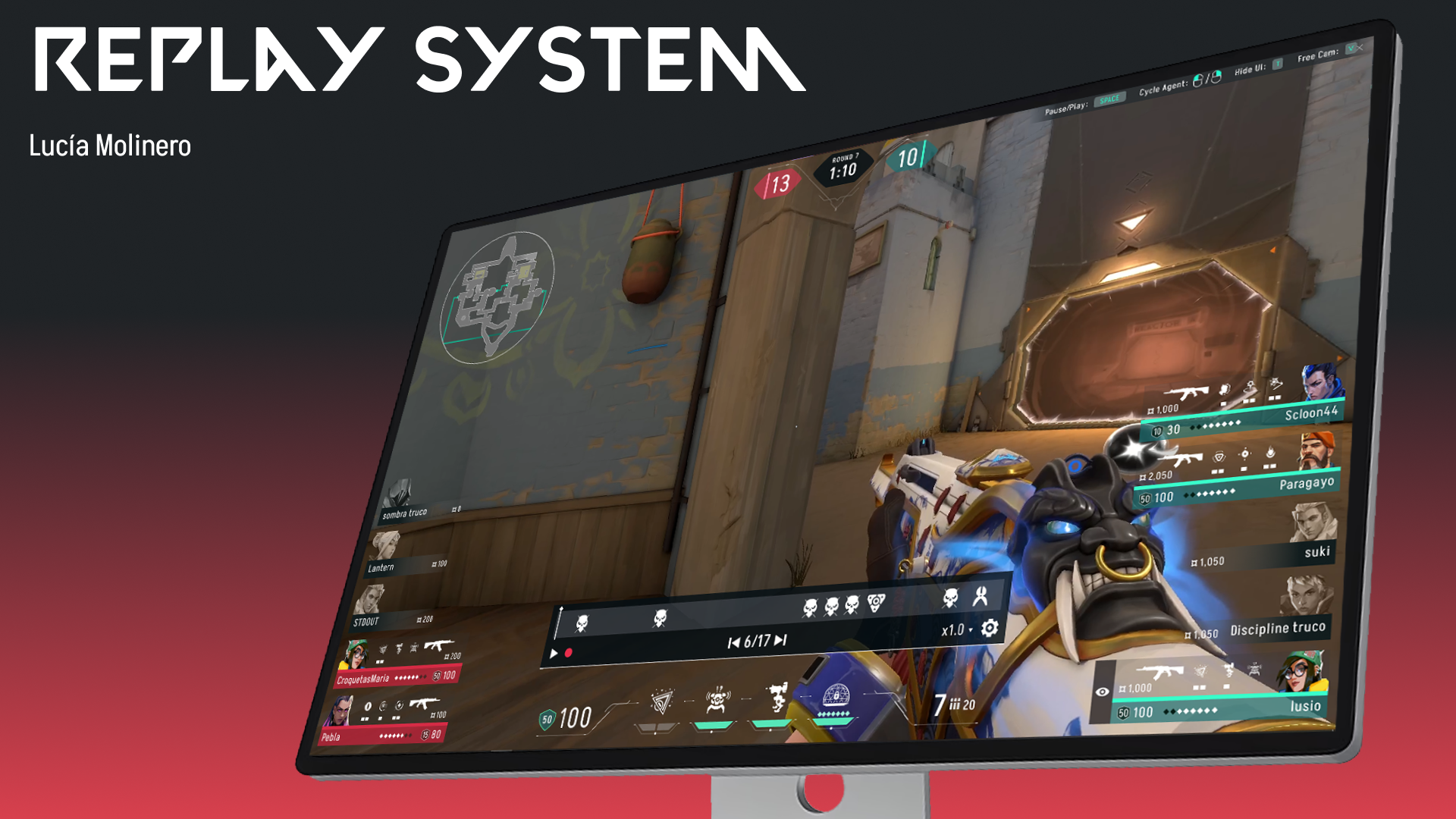
This personal project focuses on designing and implementing a replay system for the video game Valorant, a feature currently absent from the game. The main objectives were to apply and deepen my understanding of UX principles, refine my UI design skills by adhering to the game's existing style guide, and develop a high-fidelity prototype using Unity.
Roles & Responsibilities
UX Design, UI Art, Unity Programming
Timeline
8 weeks
Challenges
- Adding a new feature to a game that already exists.
- Recreating every UI element that already exists in the screens this feature is in.
- Learning how to use Unity UI Toolkit.
- Creating new UI elements using a style guide of an already polished game.
Tools
Figma, Adobe Photoshop, Unity
Paper prototype
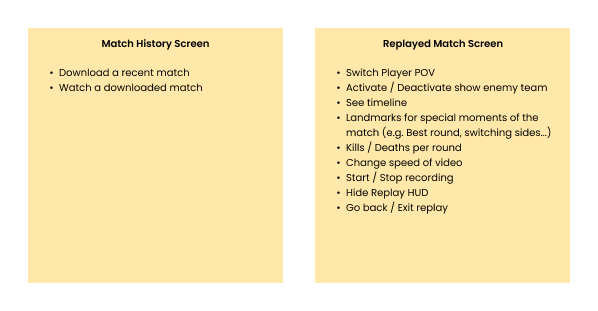
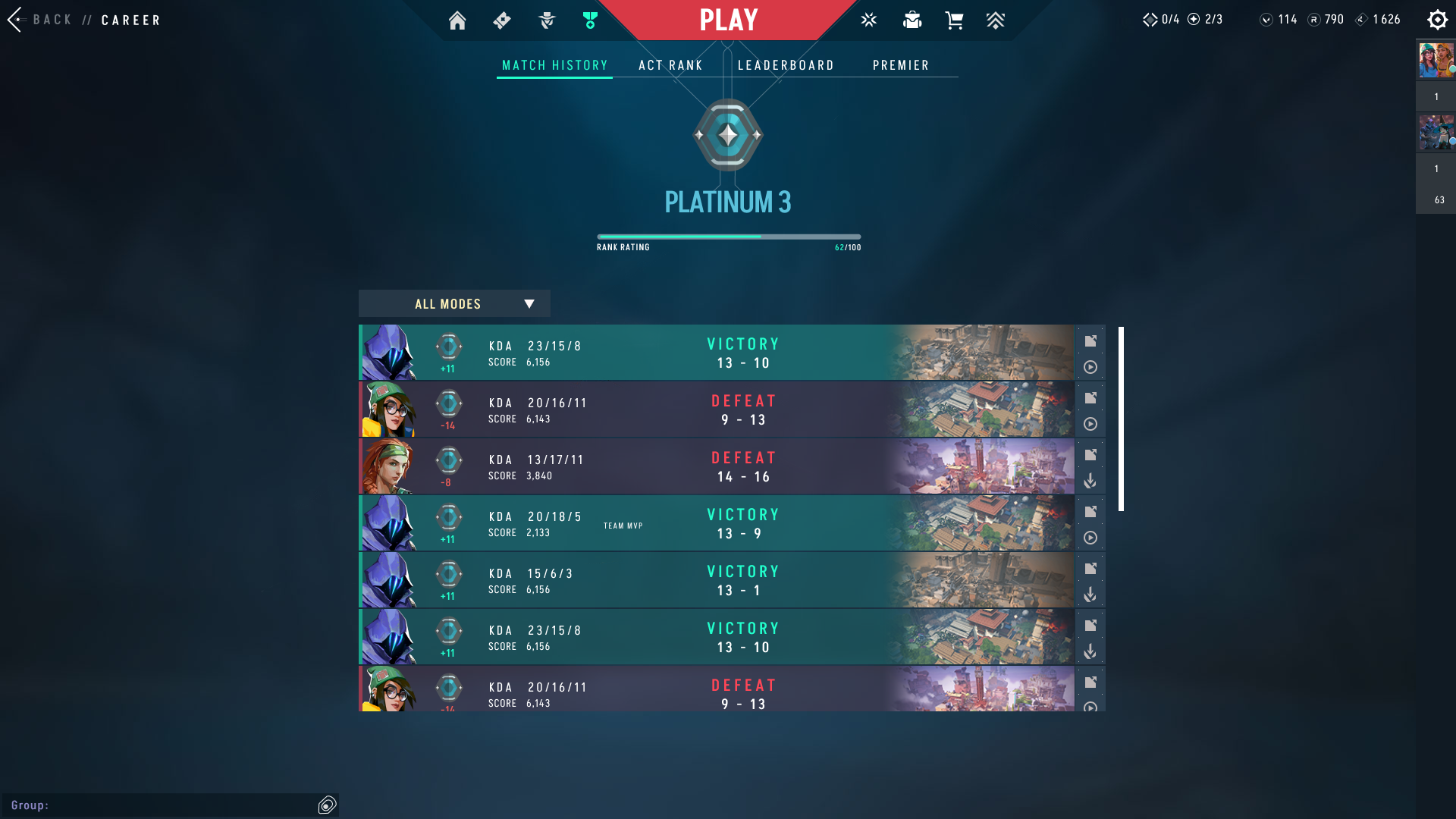
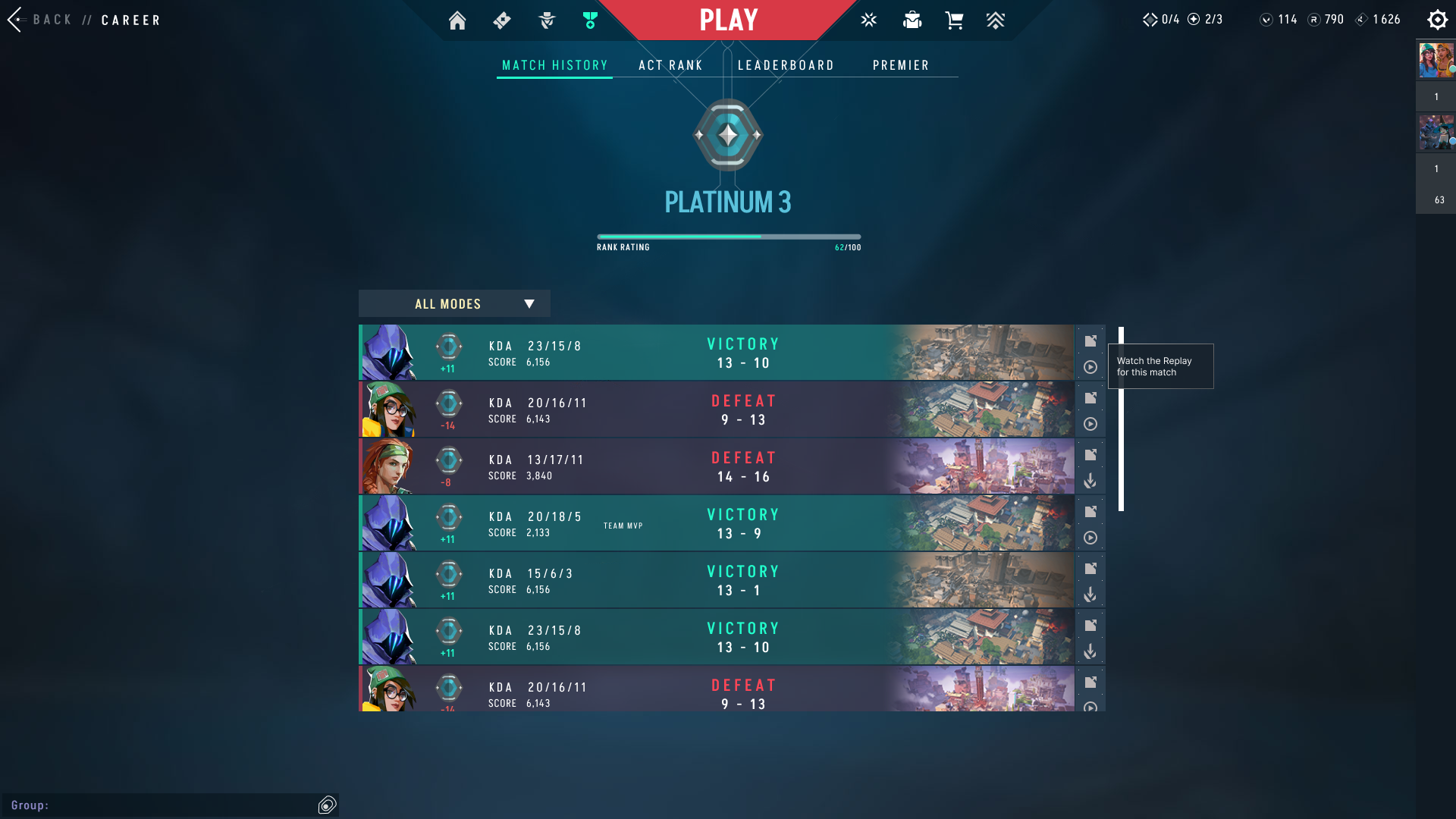
Based on my research, I defined the key features for the paper prototype of the replay system. This required designing a dedicated screen for replays and adapting existing match history screen to include an option to access the replays.
Wireframes
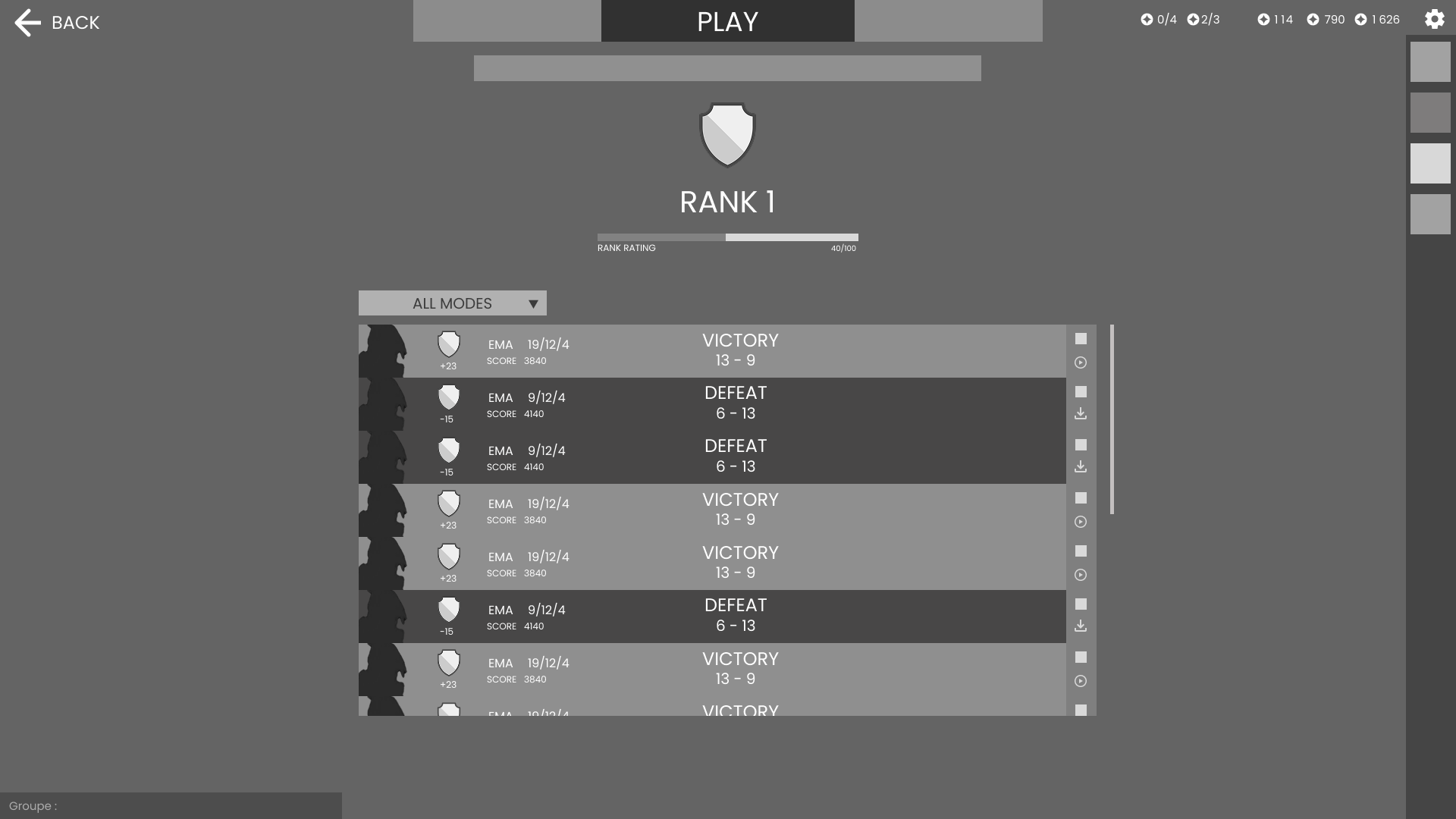
Designing the wireframe for the match history screen was straightforward, as it primarily involved adding buttons to access the replay system. I opted to utilize the existing space located below the match details button for this purpose.
For the replay screen, I did a first iteration of the wireframe, where I included all the data and features I wanted to add.
During a later design iteration, I realized that some information was redundant, so it was removed.
A final round of research, which involved studying professional gameplay replays,
highlighted the value of providing easy access to key data, even if it meant presenting it in multiple locations. This lead to the final
iteration of the wireframe where some information was brought back to ensure user accessibility.
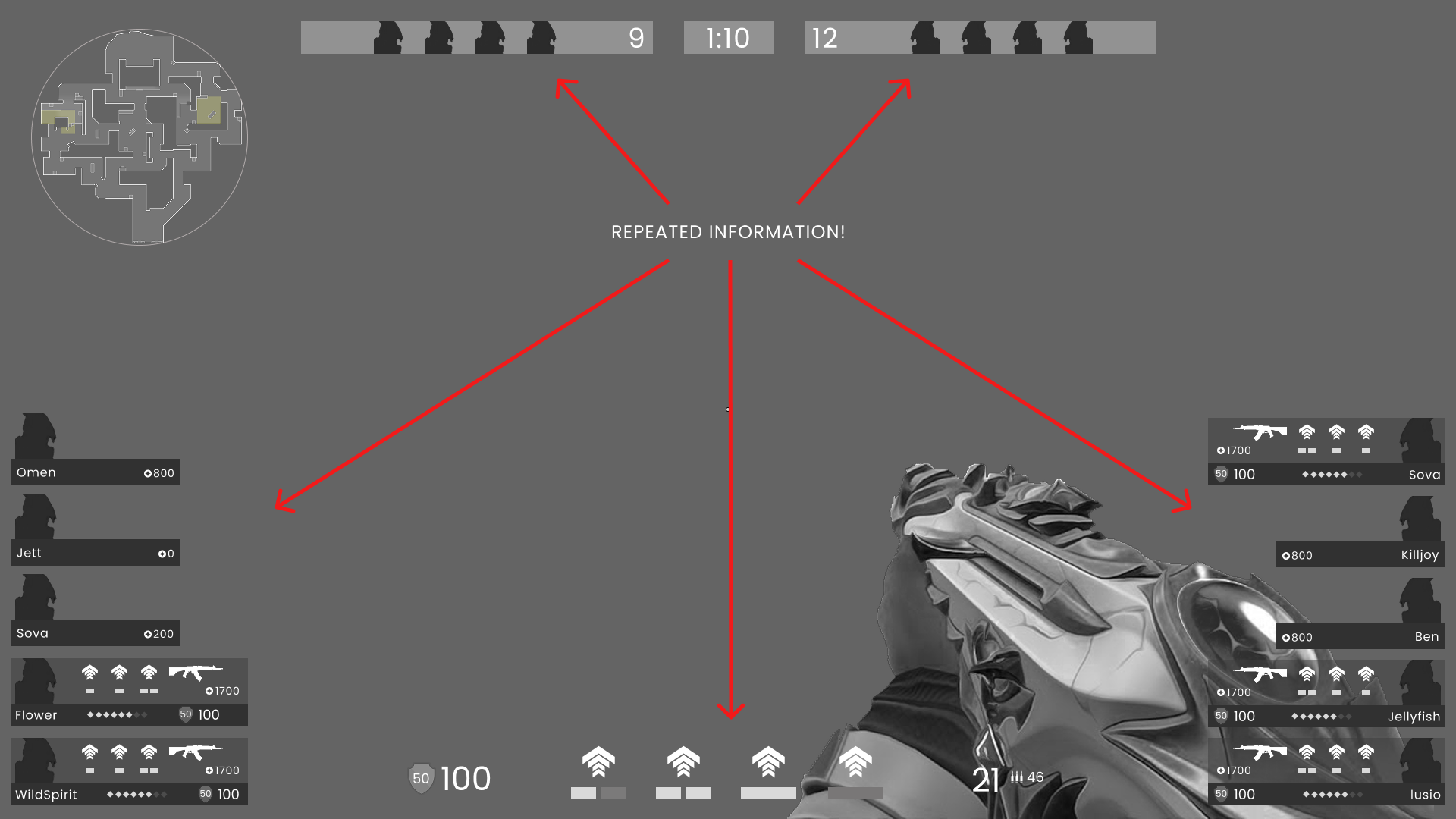
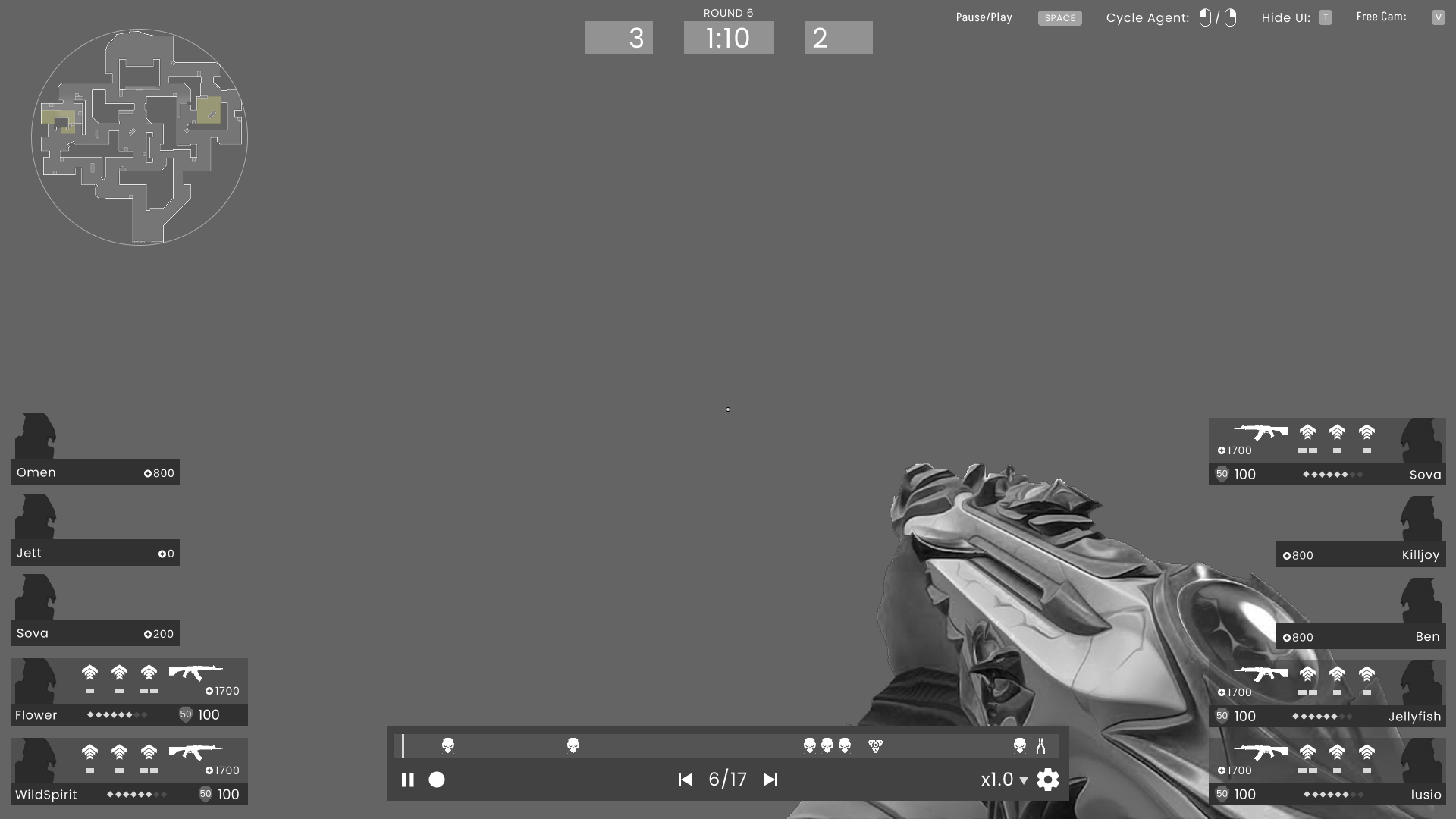
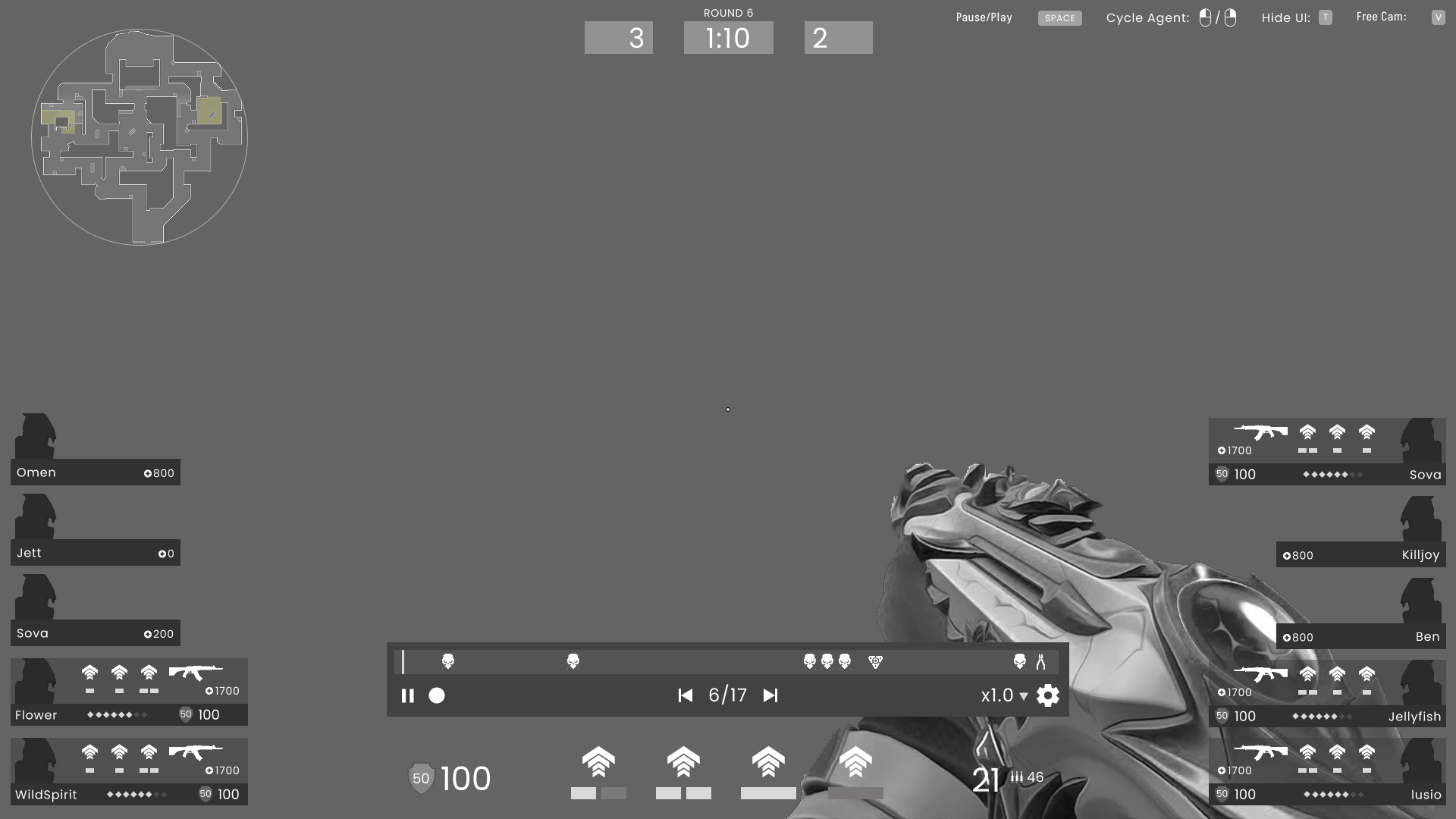
Initially, I considered a design with two separate timelines: one for the overall match and another for the current round.
This concept was discarded to avoid overwhelming the user with excessive information and to maintain a clear, intuitive interface.
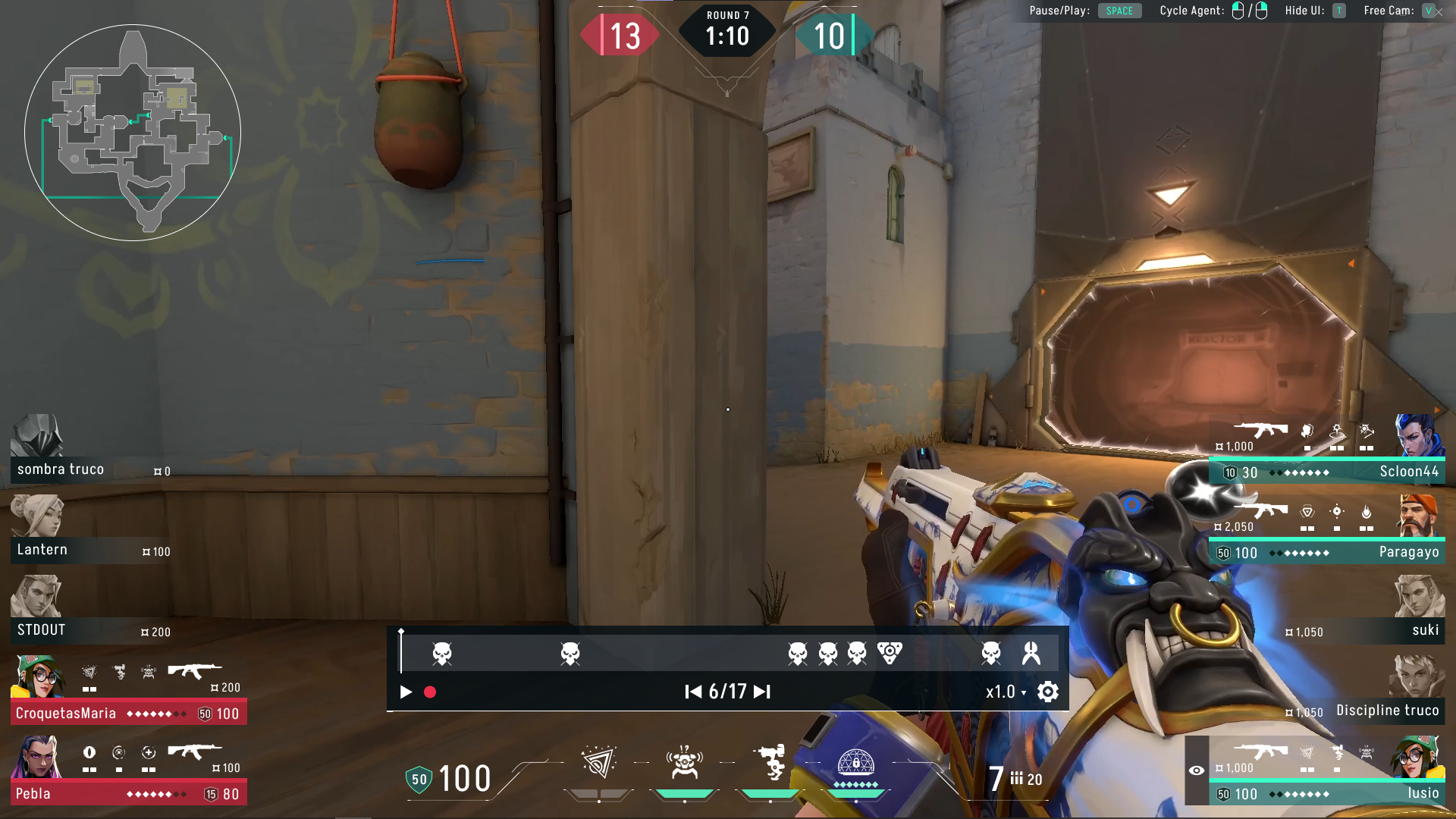
The final design features a single timeline to control the current round, with dedicated skip buttons for seamless navigation between rounds.
Mockups
Starting on this screen allowed me to get familiar with the style guide of the game.
The primary focus then was the creation of custom icons designed to seamlessly integrate what I had learned about Valorant's style.
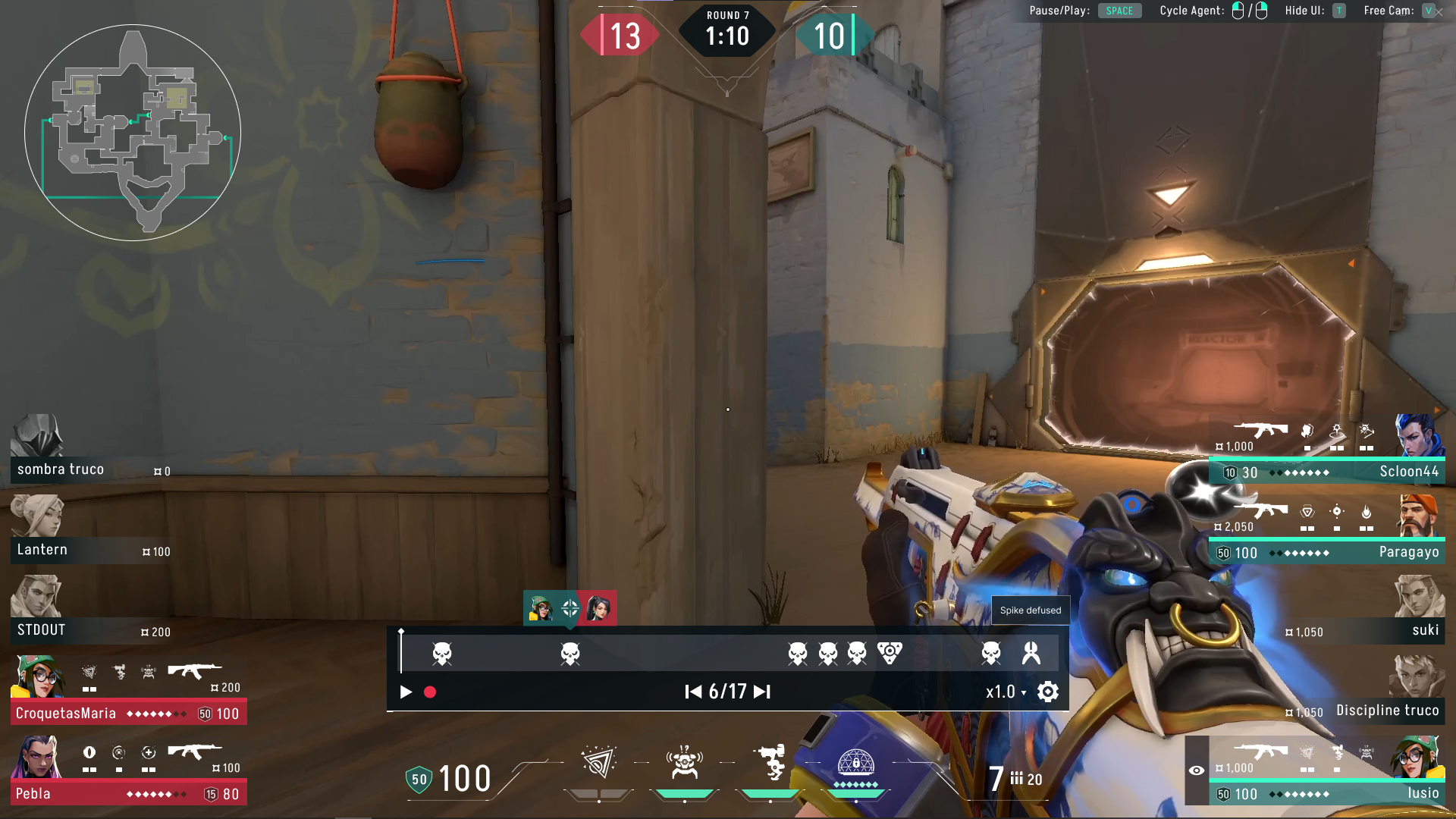
Additionally, I implemented tooltips for each button to provide players with a clear and immediate
understanding of its function, thereby enhancing the user experience and interface clarity.
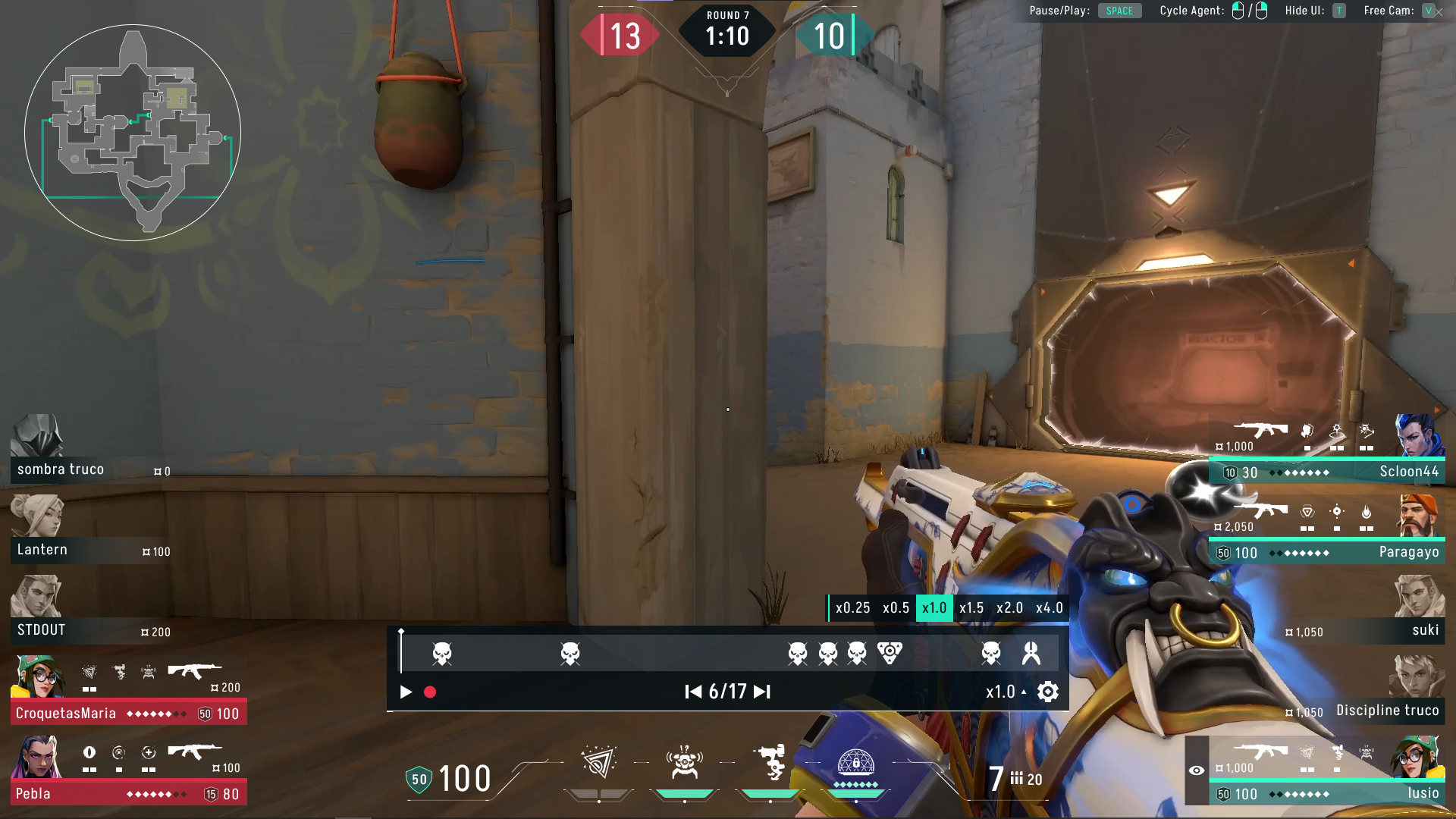
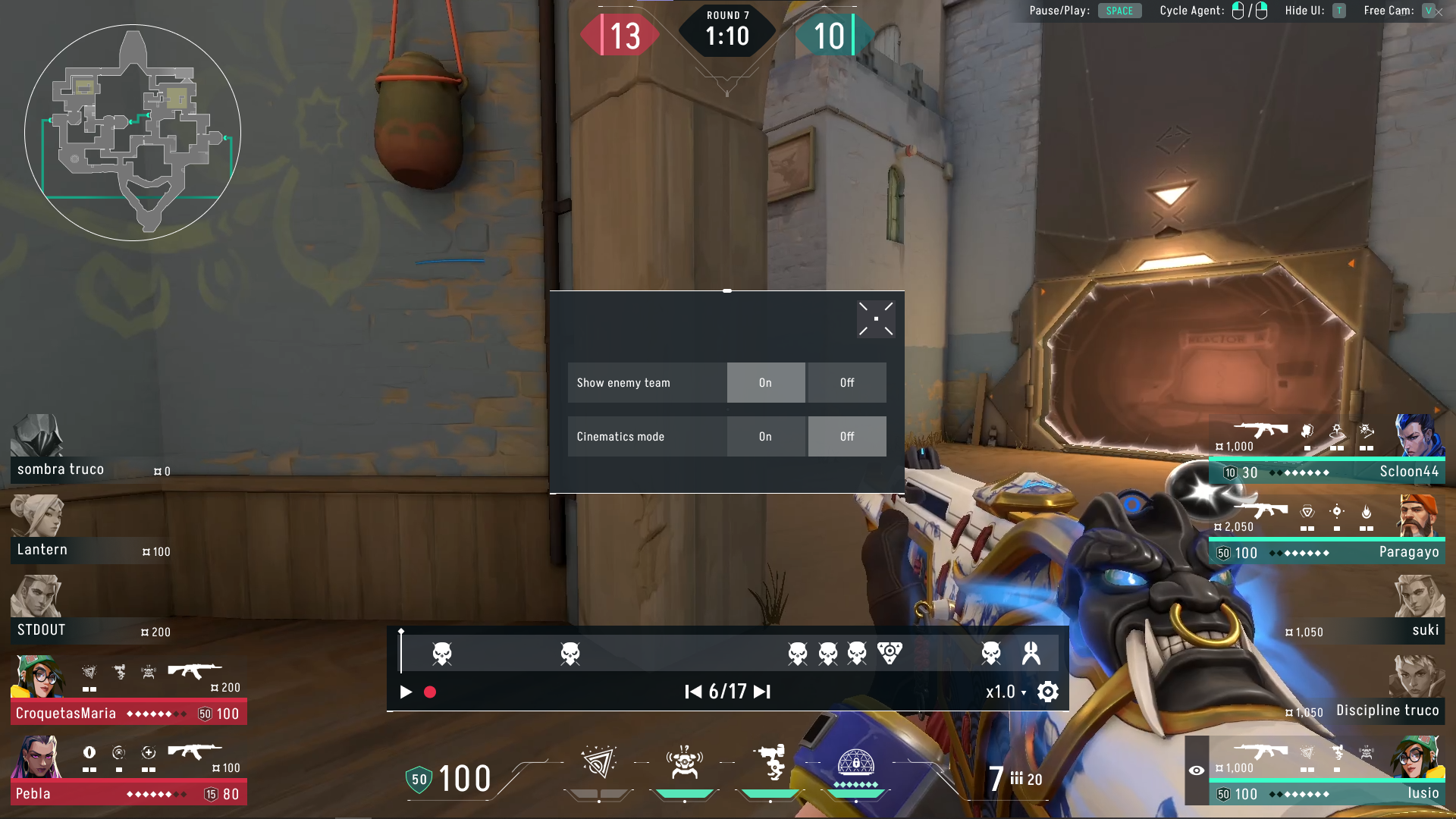
The replay screen was designed to display all relevant information, featuring detailed hovers along the timeline for quick data retrieval and a dedicated speed configuration menu. Additionally, I developed a custom menu specifically for the unique settings of the replay system.
High-Fidelity Mockup
The final phase of this project was preparing a high-fidelity mockup using Unity. The match History Screen was created using UIToolkit,
however, I soon realized while it's a powerful tool, it wasn't ideal for complex UIs. Consequently, I switched to Unity UI Canvas
for the Replay Screen to gain more granular control over events using C# scripts.
The final result is a functional prototype that allows the user to navigate through the match history and seamlessly access the replay system.
The video below demonstrates the prototype in action.
Outcomes
- I gained deep knoledge of Unity's UI tools.
- I applied UX principles to create an intuitive user experience and improved my UI design skills by adhering to an existing style guide.
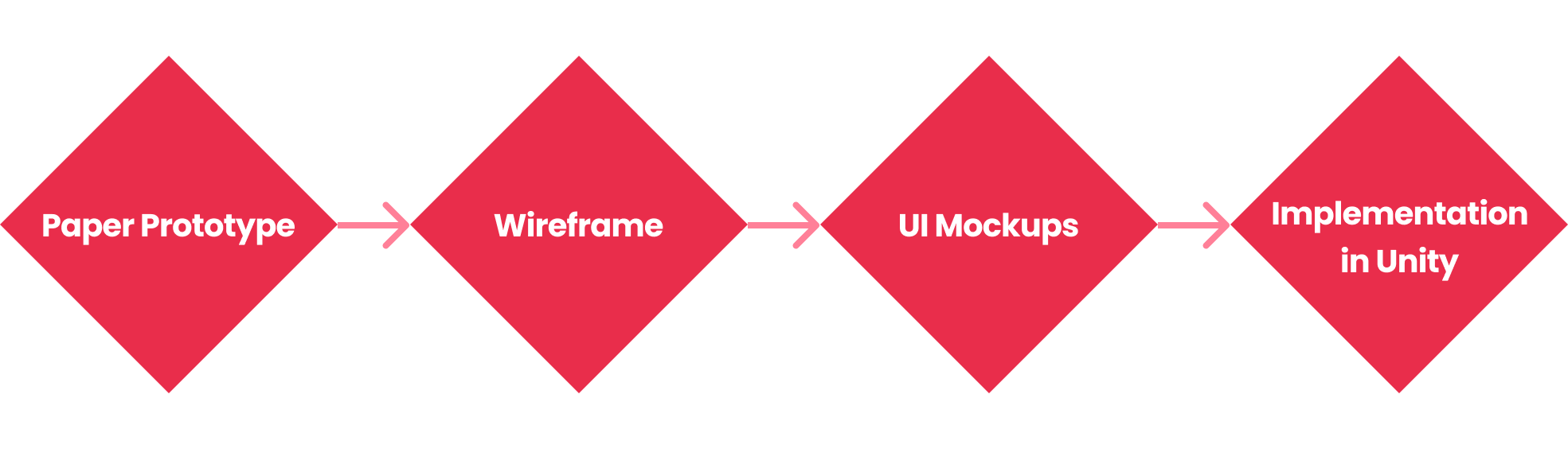
- I followed a complete design process, from paper prototyping and wireframes to the final build, which shows my ability to iterate and refine ideas
- I created the UX/UI for a feature that could be implemented in the actual game following the industry standards.